Everything that happens to a device, in one place.
From the moment a handset is unboxed to the moment it is wiped and returned. Mobidachi covers the whole lifecycle, and writes down every step of it.
Six stages, one system of record.
Most fleets lose track between the stages, not inside them. Every handover below happens in the same console, against the same audit trail.
Devices
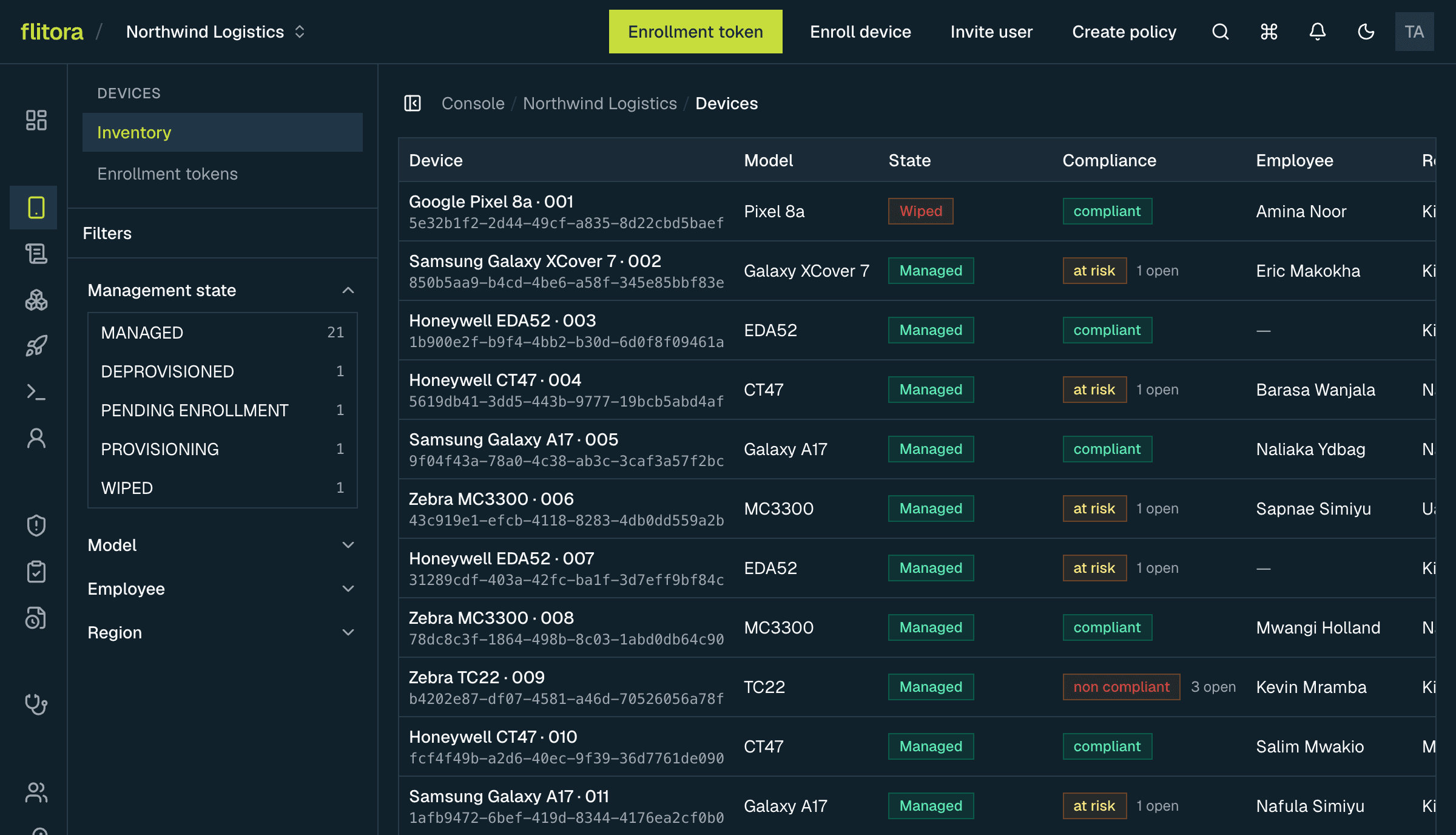
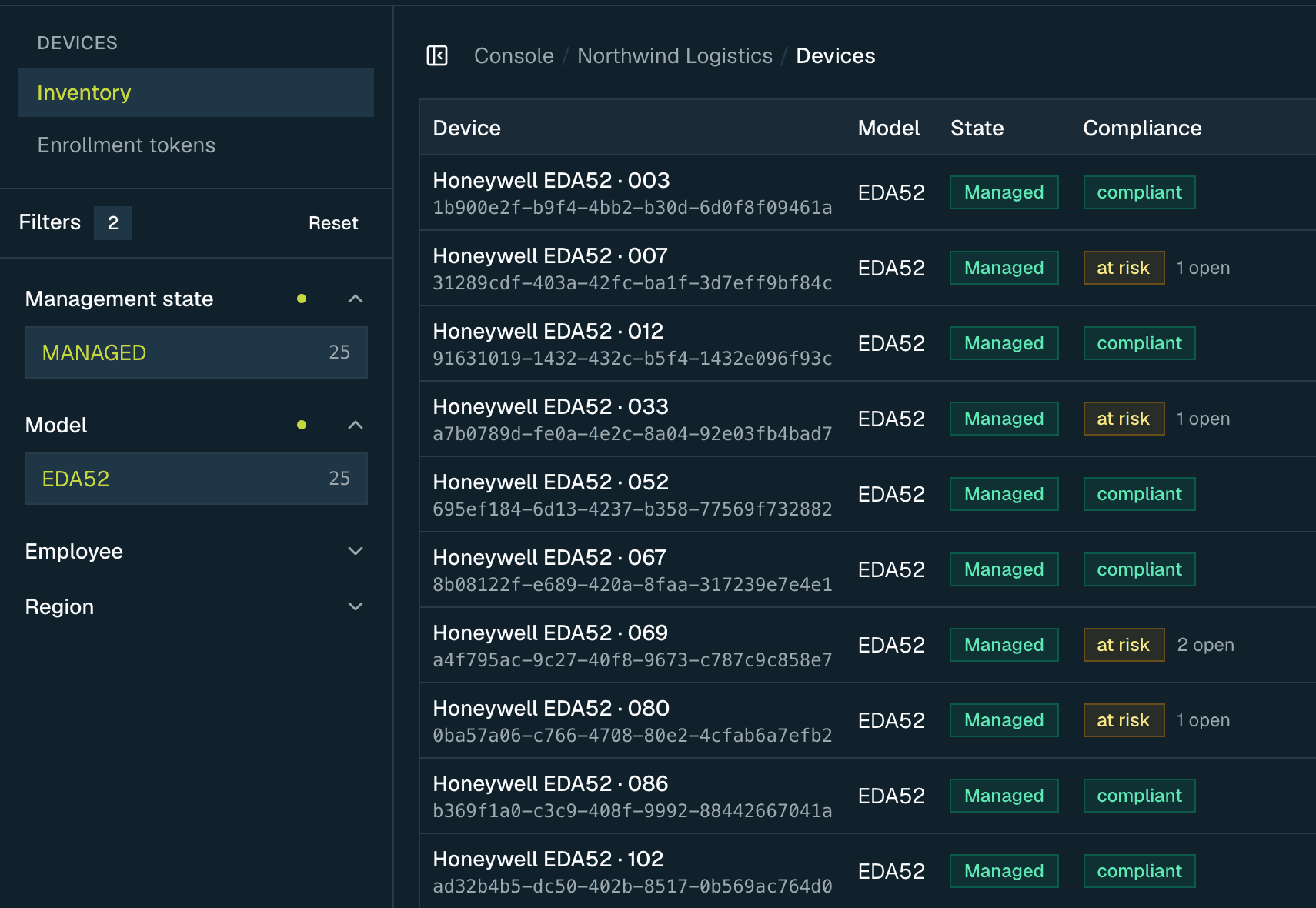
Every device you have enrolled, with its hardware, its owner, its policy and whether it is following the rules. Enrollment starts from a setup code. The record only appears once the device really finishes setup, not when somebody types it in.
- Filter by region, location, department or employee
- Assign and reassign to employees, with a reason recorded
- Last-seen time and management state, phrased honestly
- Enrollment codes that expire, and can be revoked before use
Replaces: A spreadsheet of serial numbers that was last accurate in March.
Policies
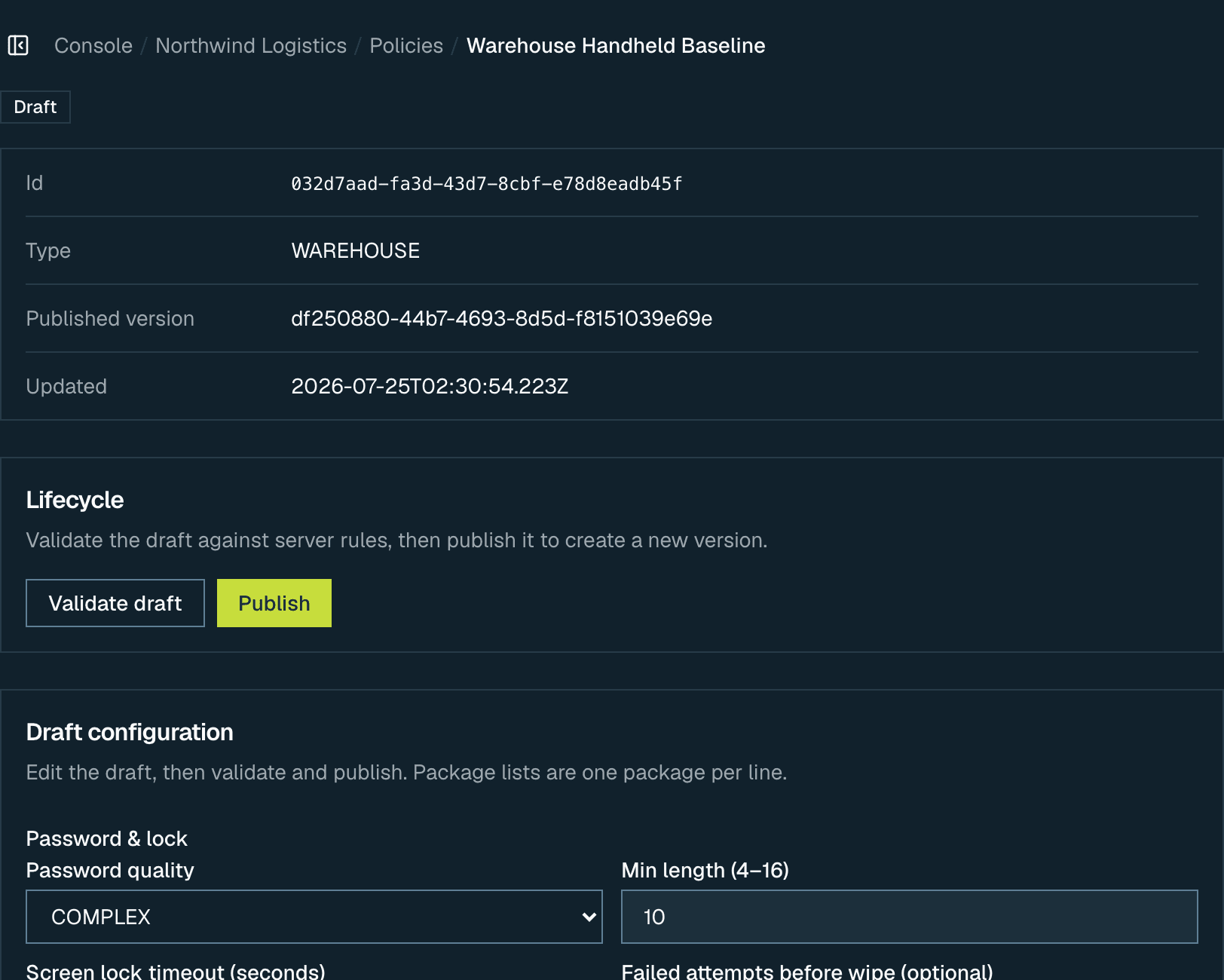
Draft it, check it, publish it. A policy points at a group: a device category, a model, a region, a department or a job role. So a device you enroll next month gets the right policy without anyone having to remember.
- Validate against the device platform before anything is pushed
- Per-device rollout results, with retry limited to the ones that failed
- Roll back to the previously published version
- Version history, so you can see what changed and when
Replaces: A configuration one administrator understands and nobody has written down.
Applications and deployments
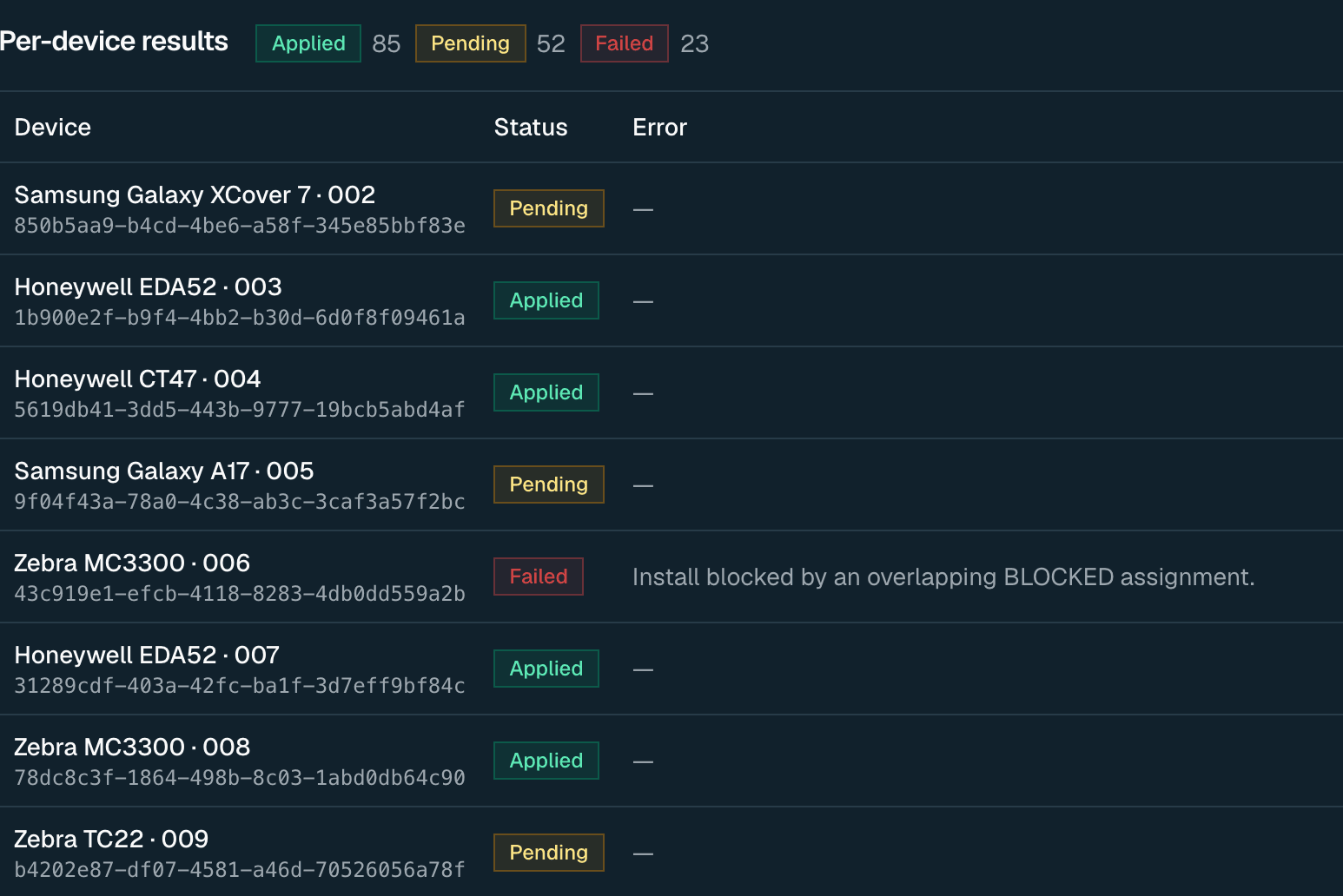
Approve apps in Managed Google Play through the console, then deploy by rule. Force-install the ones the job depends on, make the optional ones available, block the rest.
- Public, private and web apps in one catalogue
- Force-installed, available, blocked or kiosk per deployment
- Pause, resume, cancel or retry a rollout mid-flight
- Rollout status per device, not just a batch percentage
Replaces: Sideloading an APK onto each handset as it comes back to the depot.
Commands
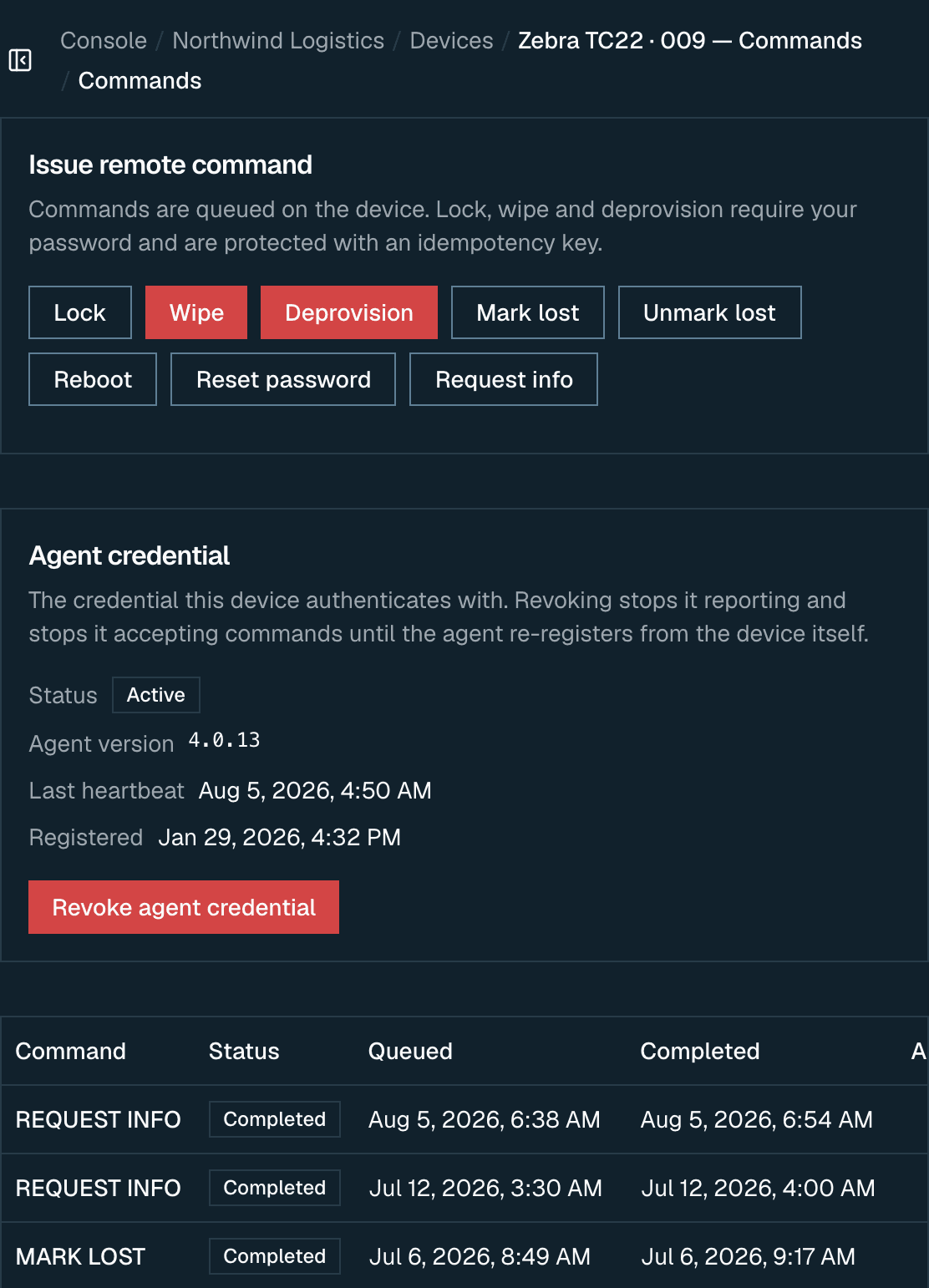
Lock, wipe, reboot, reset a passcode, mark a device lost. Destructive commands require the operator to re-enter their own password, and each is issued exactly once even when the request is retried over a bad connection.
- Lock, wipe and deprovision are re-authenticated at the point of use
- Retrying a failed request replays the result instead of firing twice
- Full command history per device, with status and outcome
- Deprovision is presented as its own decision, not a louder wipe
Replaces: A phone call to the branch, and hoping.
Compliance and incidents
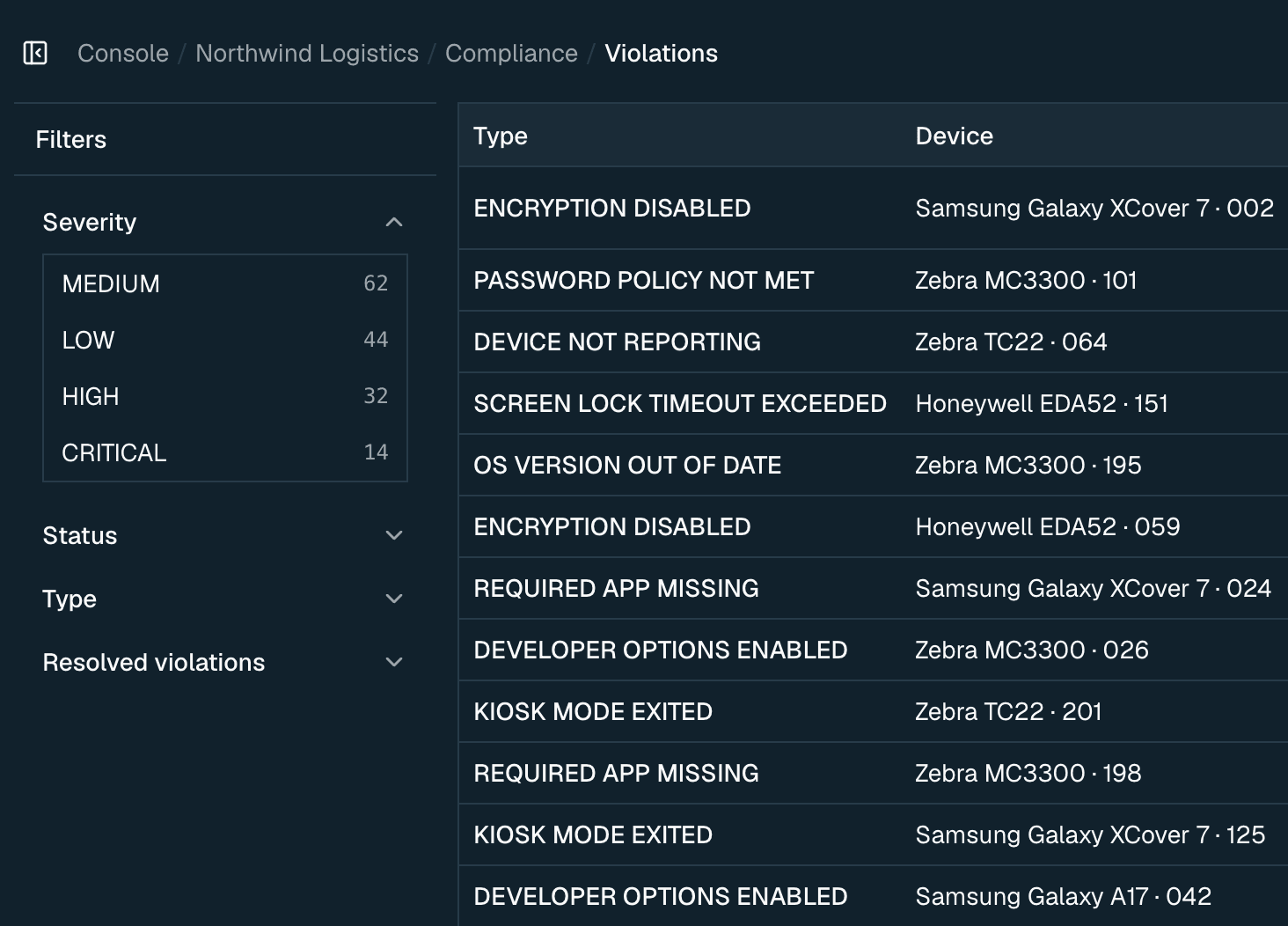
The device platform tells us when something is wrong. An incident opens when a device drifts out of policy, and closes itself once the device recovers. The record shows whether the system closed it or a person did.
- Violations per device and across the fleet
- Incidents opened automatically, or by hand for anything else
- Acknowledge and resolve, with who did it and when
- Diagnostics and power events on the device record
Replaces: Finding out at the audit.
Audit, users and roles
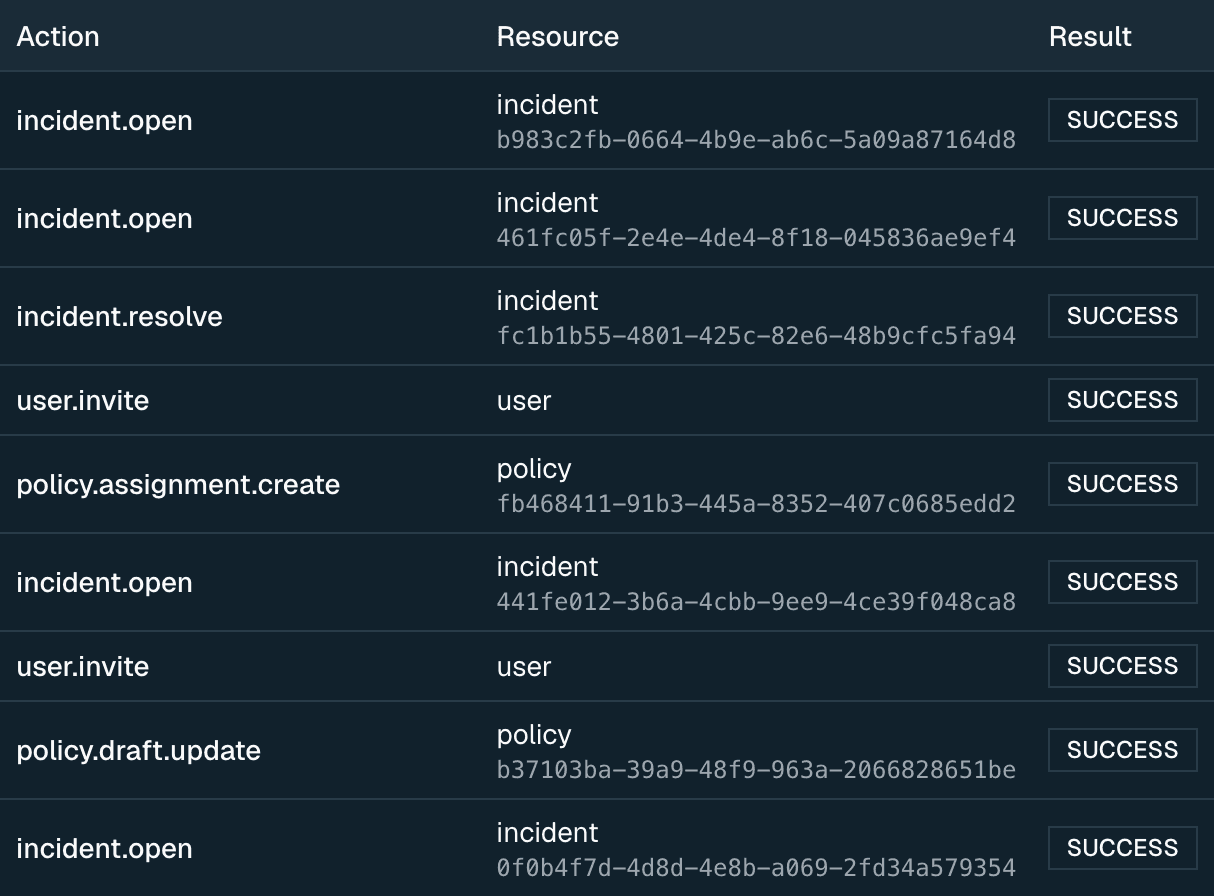
Eight roles from full tenant administrator to read-only viewer, enforced on the server for every request. Everything that changes state is written down, whether it succeeded or failed.
- The console hides what a role cannot do rather than failing on click
- Auditors get a role that reads everything and changes nothing
- Every action carries a reference support can trace
- Several businesses can be operated from one console, kept separate
Replaces: A shared administrator login.
The parts nobody demos, that decide the procurement review.
Architecture questions come up late and stop deals. They are answered here instead.
- Built on Android Enterprise
- Management runs through Google's own device management surface, not a proprietary agent asking for trust it has not earned.
- Tenants are isolated
- Each business has its own devices, policies and users. Ask for something in the wrong tenant and you do not get a permission error. You get nothing at all, so nobody learns what exists.
- Permissions enforced server-side
- The console derives what it shows from the same grants the API enforces, so a hidden button and a refused request never disagree.
- Everything mutating is recorded
- Successes and failures both. Operators see across every tenant. A business sees only its own.
- Every response is traceable
- Each request carries an id that appears in the response, in the error shown to the user, and in the server logs. A support ticket starts with a reference rather than a guess.
- Sessions survive real use
- Token rotation is single-flight, so eight parallel requests renewing at once cannot sign a user out mid-session. Refresh reuse is treated as theft and ends the session.
There is an API, and it is the same one the console uses.
Every response carries the same envelope and a request id. Errors are identified by a stable code rather than a message you have to string-match. Nothing the console can do is hidden behind a private endpoint.
Ask us for the API docsGET /api/v1/devices?page=1&page_size=25
Authorization: Bearer <access_token>
{
"success": true,
"data": {
"items": [ /* … */ ],
"page": 1,
"page_size": 25,
"total": 137,
"total_pages": 6
},
"error": null,
"request_id": "req_a1b2c3d4e5f6a7b8c9d0"
}See it against your own fleet.
Enrollment, a policy rollout and the audit trail, in under half an hour.