Put every device your business runs on under one console.

Mobidachi manages the Android devices your people work on. Set them up, keep them in line, and know where every one of them is. All from one place.

No card required. Cancel any time during the trial.

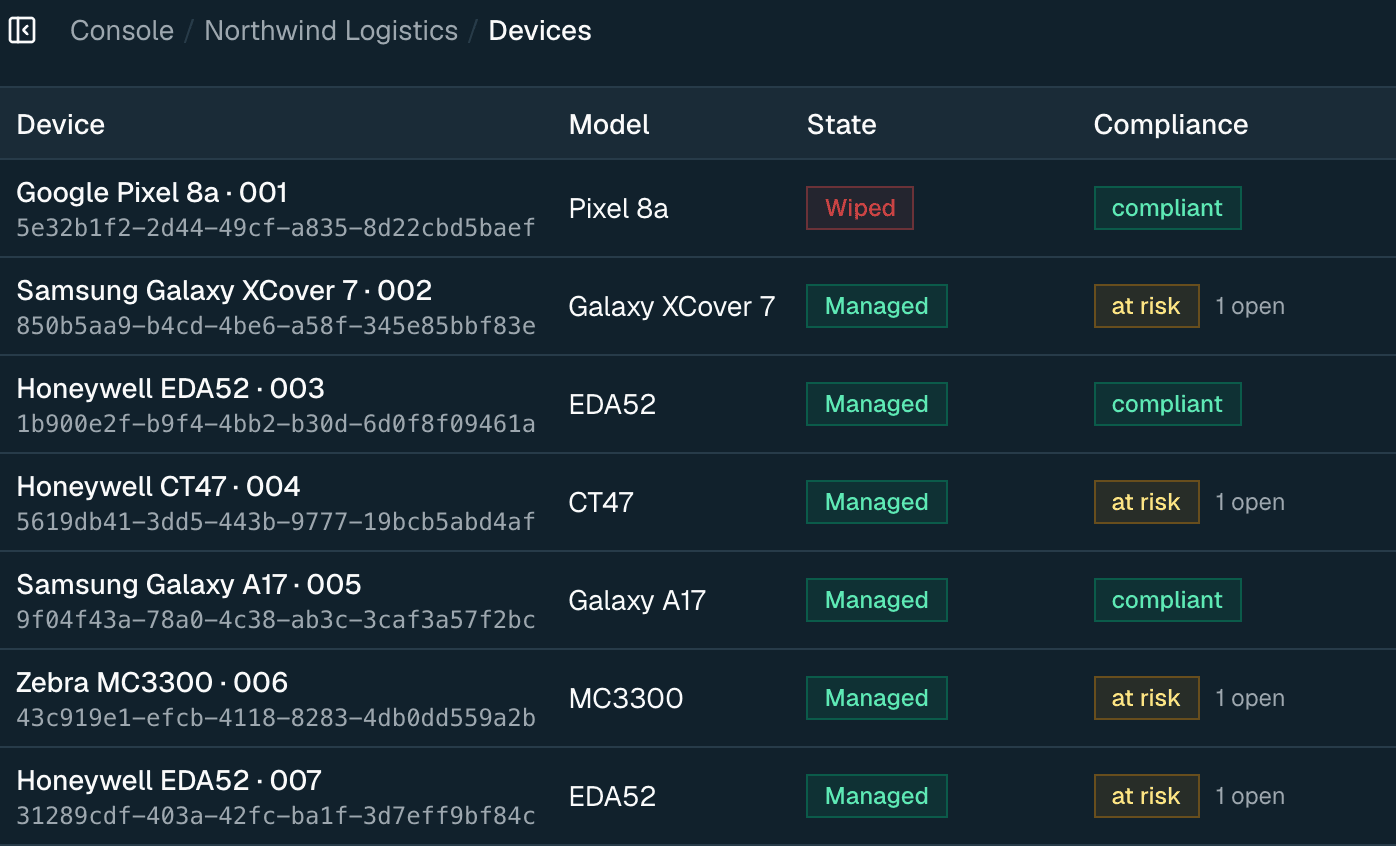
The Mobidachi device inventory on the dark theme: each handheld with its model, management state and compliance status.

Built on Android Enterprise

A managed fleet in three steps.

Nothing to sideload and no imaging station. Connect once, enroll from a code, and everything after that is policy.

Book a demo
  1. Bind your enterpriseConnect Android Enterprise once. You get back a managed enterprise and a starter policy.
  2. Enroll devicesMake a setup code and scan it while the device is being set up. The device shows up in your fleet by itself.
  3. Publish a policyPoint a policy at a group, not a list. Devices you enroll next month pick it up on their own.
Wherever they are

The devices are out in the field. The control does not have to be.

A scanner in a warehouse. A phone in a delivery van. A tablet on a shop floor. All set up the same way, all run by the same policies, all in the same audit trail.

One fleet, one view

Every device you have enrolled. Its hardware, its policy, whether it is following the rules, and when you last heard from it.

  • Filter by region, location, department or employee
  • Lock, wipe, reboot or locate a device from its record
  • Real last-seen times, not a made-up online badge
See how it works
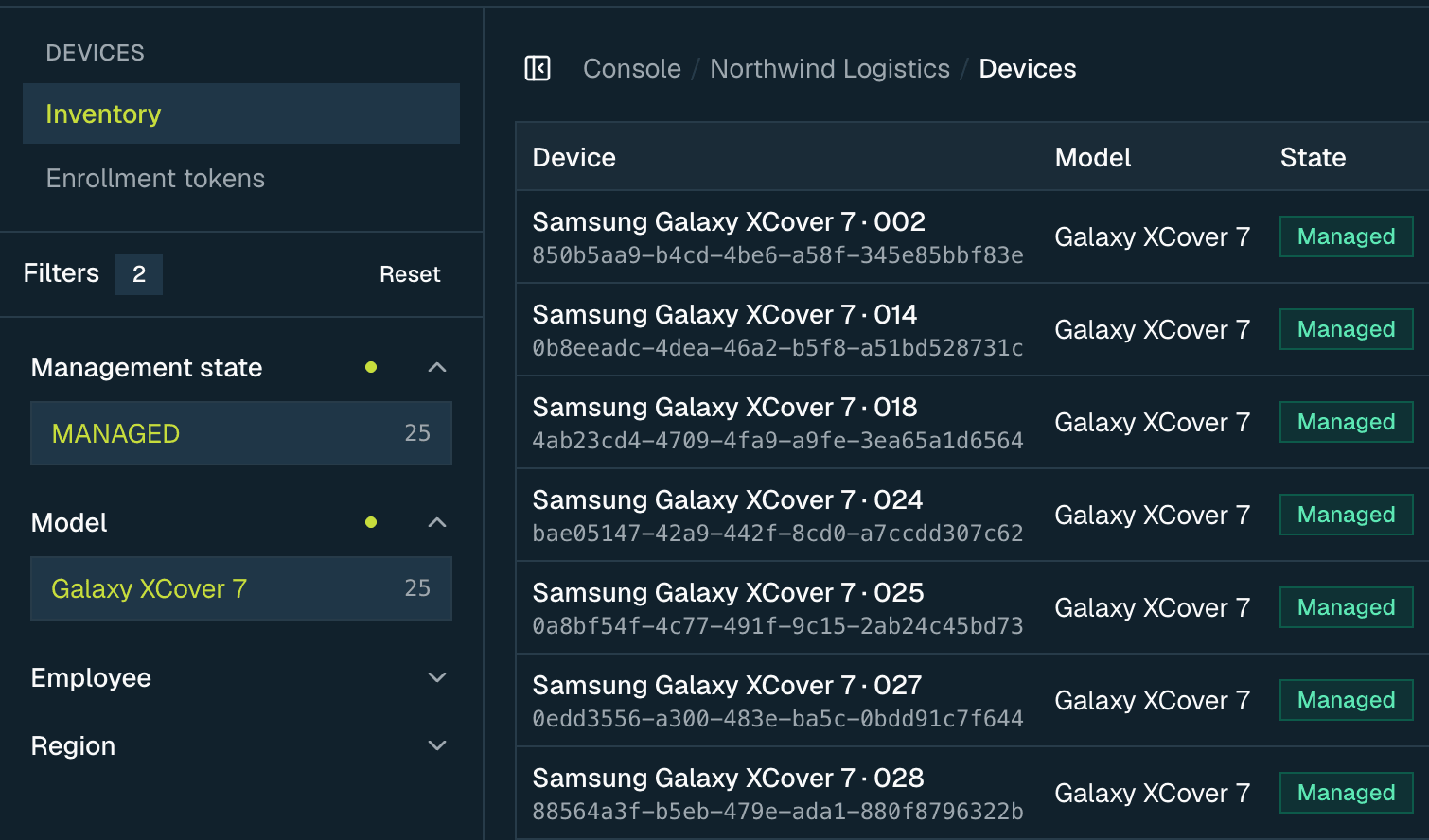
The device inventory narrowed by two filters, with management state and model selected in the rail and every remaining row a Galaxy XCover 7.

Policies that roll out on their own

Draft it, check it, publish it. Policies point at groups, so a device you enroll tomorrow gets the right one tonight.

  • Check a policy against the device platform before it ships
  • See the result on every device, and retry only the ones that failed
  • Go back to the version you published last
See how it works
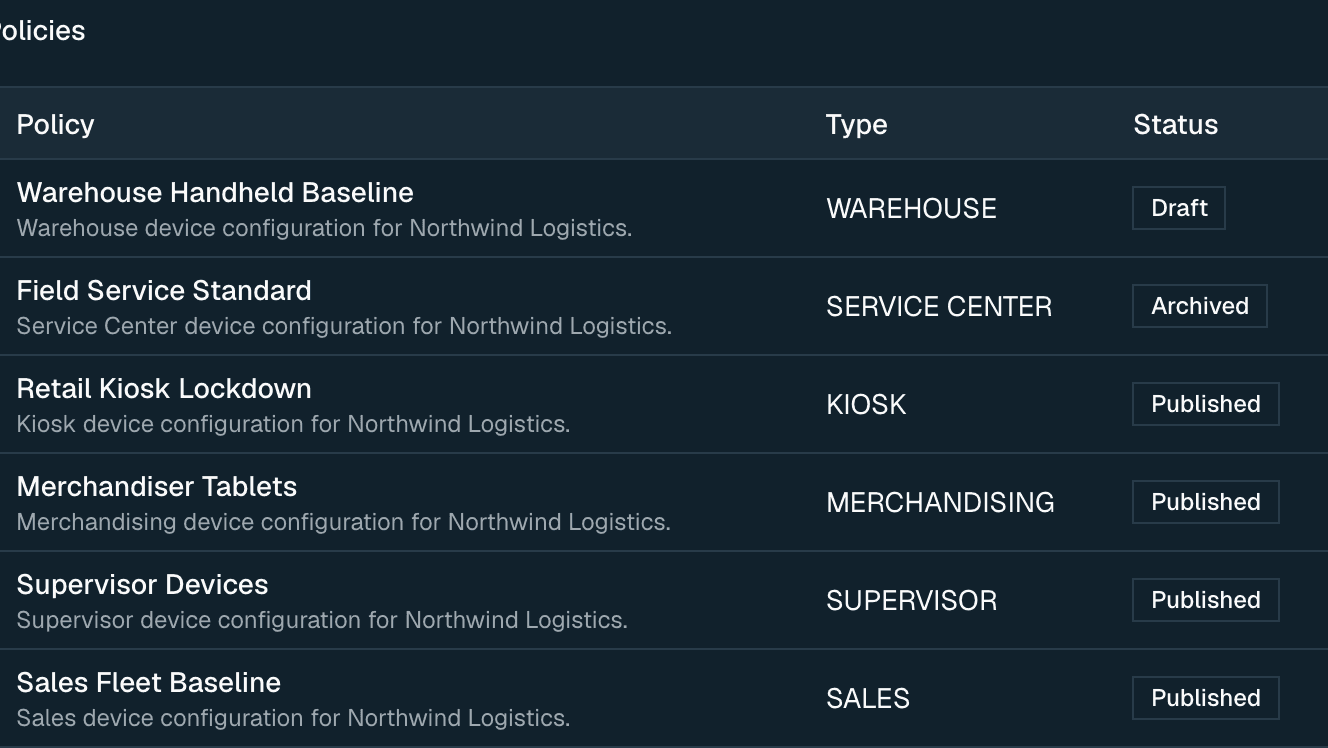
The policy library, showing baseline, kiosk, warehouse and service-centre policies with their type and whether each is published, draft or archived.

App delivery, sorted

Approve an app in Managed Google Play, then push it. Force it on, offer it, or block it.

  • Public, private and web apps in one list
  • Pause, resume or cancel a rollout while it runs
  • Status on every device, not just a batch percentage
See how it works
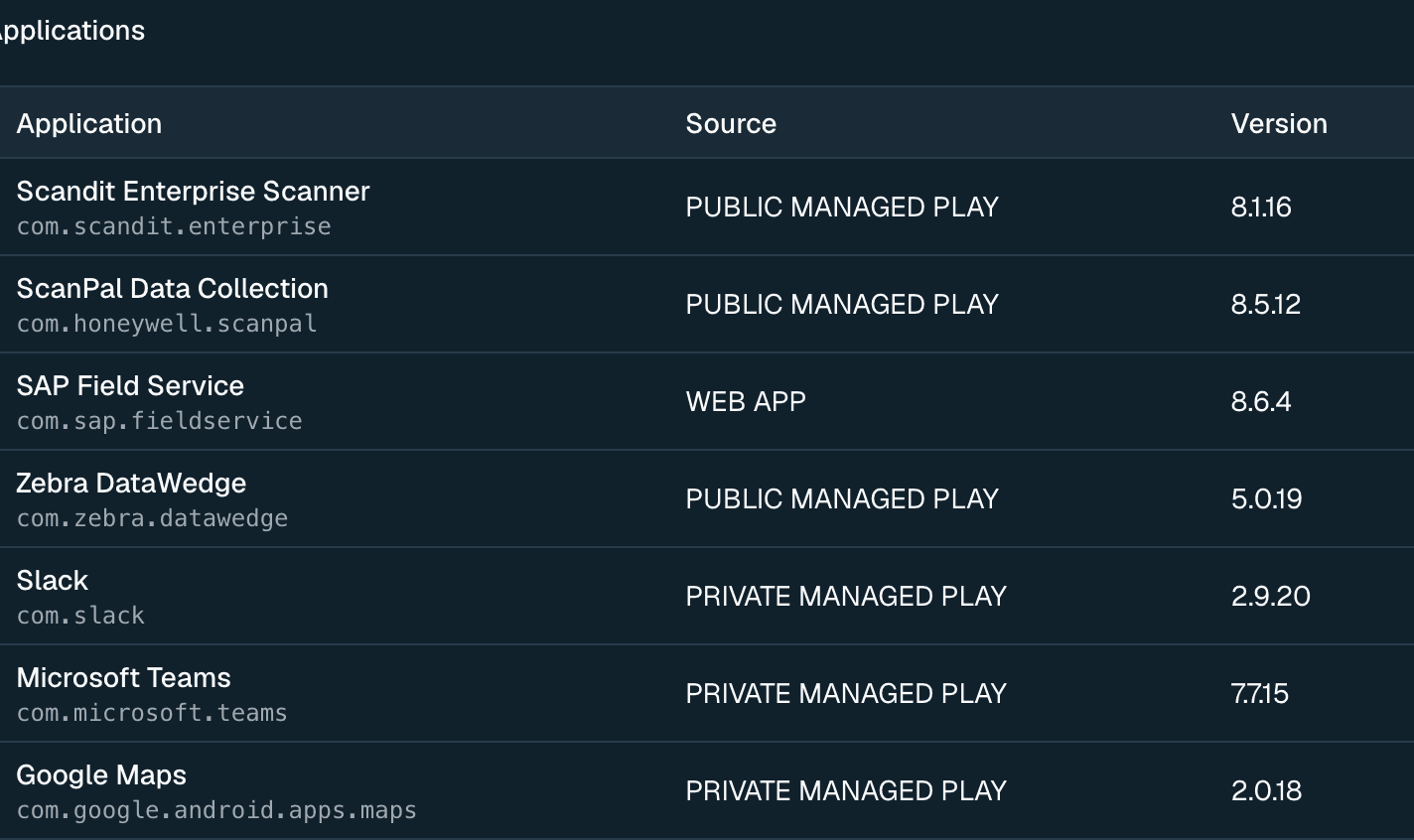
The managed application catalogue, listing each app with its package name, distribution source and version.

You can always show your working

A device that breaks a rule opens an incident by itself, then closes it once the device recovers. Everything else gets written down.

  • Every change is recorded, whether it worked or not
  • Every action gets a reference your support team can trace
  • Eight roles, checked on the server for every request
See how it works
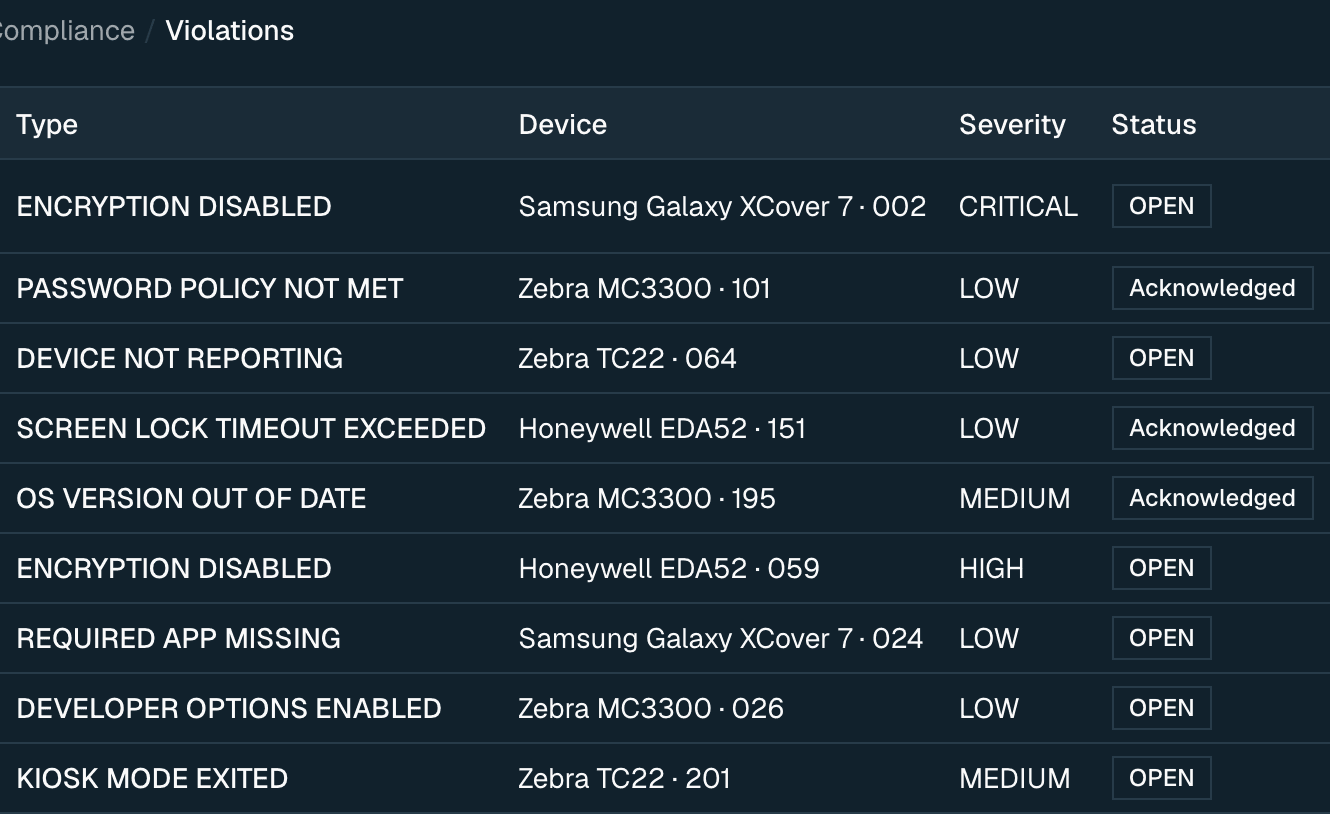
Compliance violations across the fleet, each naming the device, its severity and whether it is open or acknowledged.

Works with the tools you already use.

Device management runs on Android Enterprise and Managed Google Play. That is Google’s own management layer, not an agent of ours asking you to trust it.

  • Android Enterprise
  • Managed Google Play
  • Microsoft Entra ID
  • Azure
  • Microsoft Intune
  • SAP

FAQs

The questions that come up in every buying conversation.

Try it on your own fleet for 7 days.

Enroll real devices, publish a real policy, and read the audit trail it produces. No card up front, and everything you set up stays if you continue.

  • No card required to start
  • Full product — no locked features during the trial
  • Nothing is charged automatically when it ends
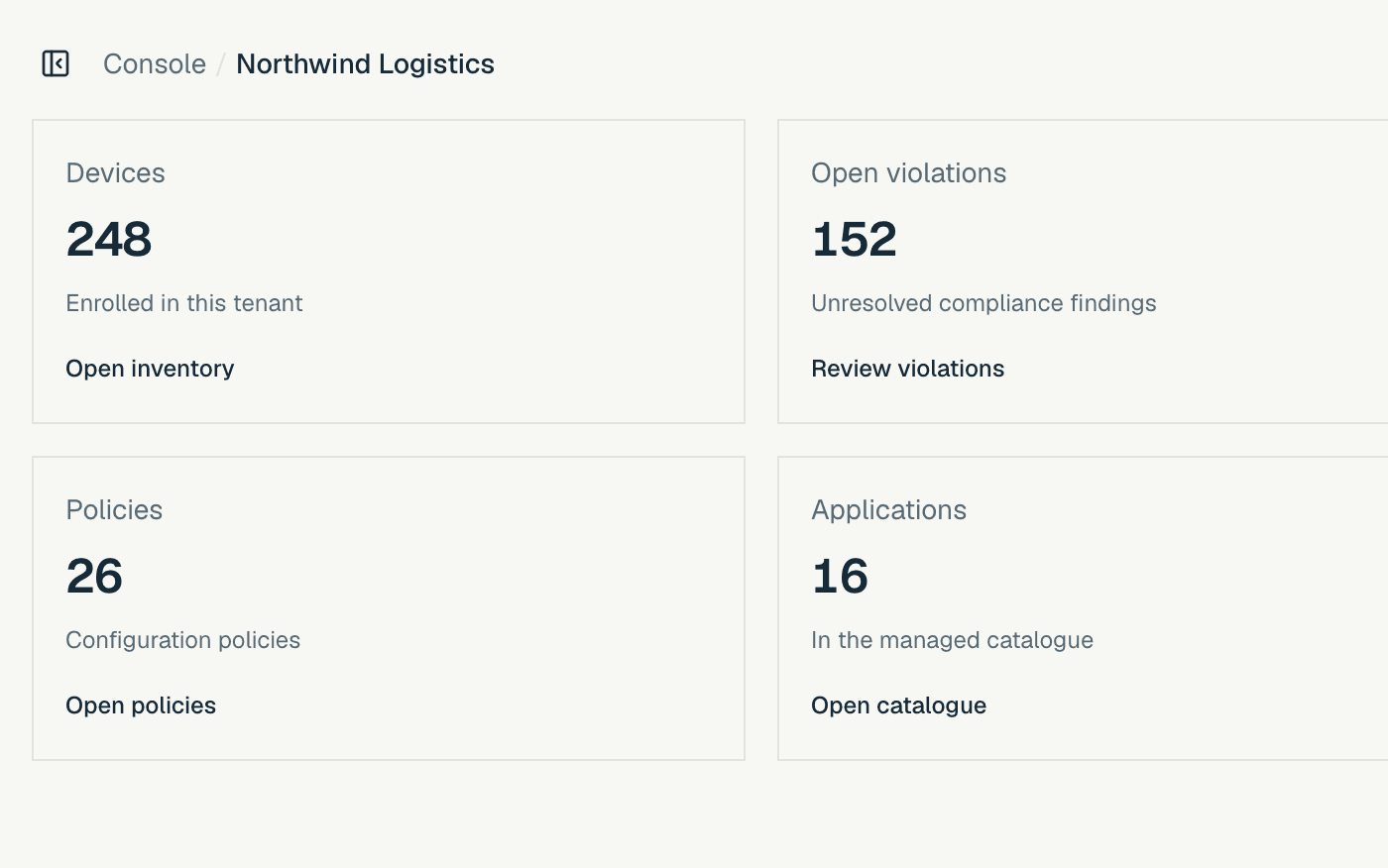
The console overview on the light theme: 248 devices enrolled, 152 open violations, 26 policies and 16 applications.